Liquid Glass
The tools and panels float in the glass of macOS 26 Tahoe, in light and dark mode.
As ferramentas e os painéis flutuam no vidro do macOS 26 Tahoe, no modo claro e no escuro.
Cutline is a free and open source Mac app for Silhouette cutters, written in Swift for Apple Silicon. It opens your .studio3 files and takes 15 MB of disk.
O Cutline é um app de Mac gratuito e de código aberto para as cortadoras Silhouette, escrito em Swift para o Apple Silicon. Ele abre os seus arquivos .studio3 e ocupa 15 MB no disco.
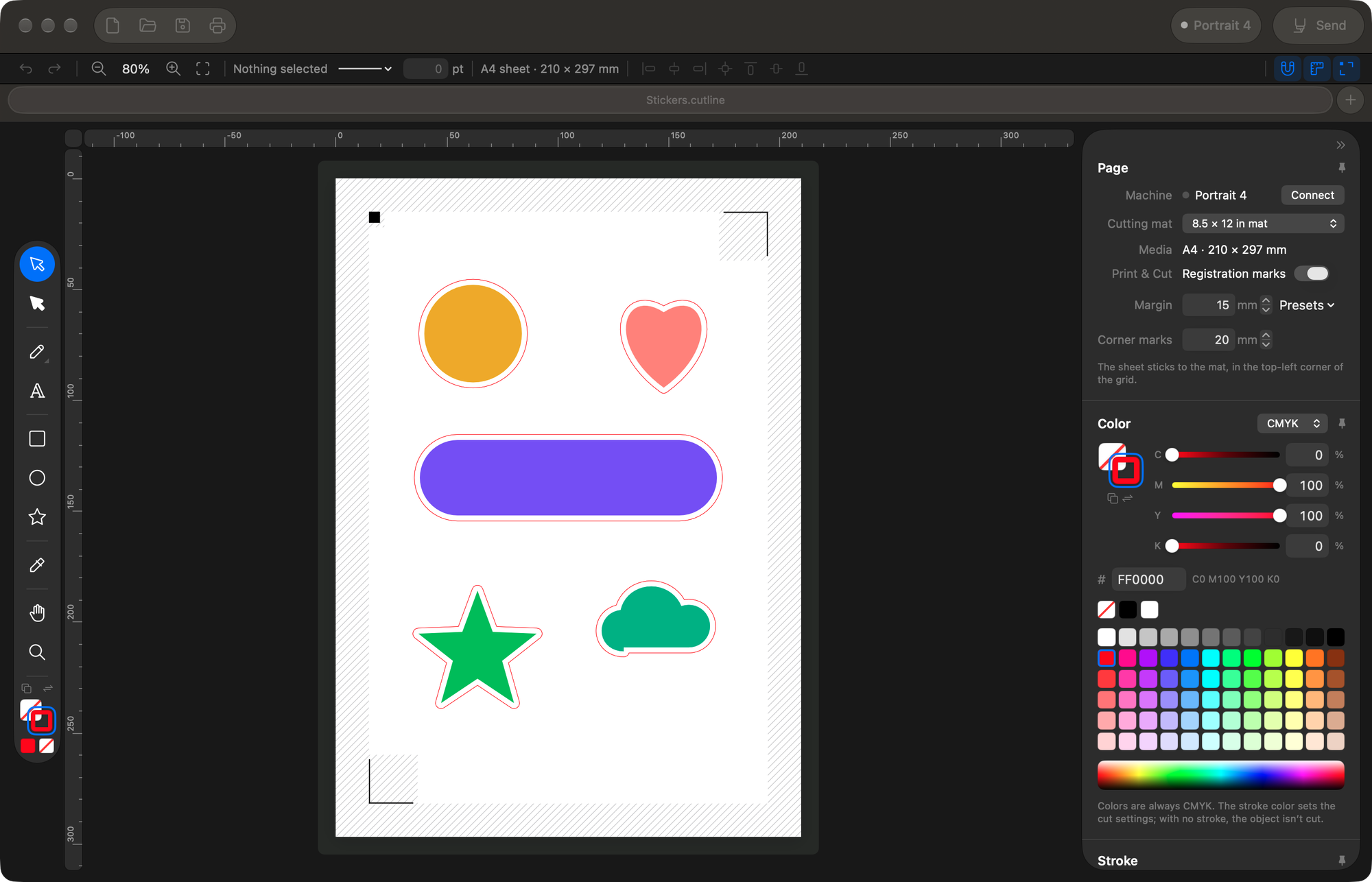
Cutline is written in Swift and SwiftUI, the tools Apple makes for Mac apps. It runs as native code on Apple Silicon and uses the Liquid Glass look of macOS 26.
O Cutline é escrito em Swift e SwiftUI, as ferramentas que a Apple faz para os apps de Mac. Ele roda como código nativo no Apple Silicon e usa o visual Liquid Glass do macOS 26.
Compared with Silhouette Studio 5.0.539 on a Mac mini M4 Pro, in November 2026. Cutline 1.1.1 opened in 0.32 s against 23.3 s (median of 5 opens), and Cutline 1.2.0 takes 15.5 MB on disk against 1.68 GB.Comparado ao Silhouette Studio 5.0.539 num Mac mini M4 Pro, em novembro de 2026. O Cutline 1.1.1 abriu em 0,32 s contra 23,3 s (mediana de 5 aberturas), e o Cutline 1.2.0 ocupa 15,5 MB no disco contra 1,68 GB.
The tools and panels float in the glass of macOS 26 Tahoe, in light and dark mode.
As ferramentas e os painéis flutuam no vidro do macOS 26 Tahoe, no modo claro e no escuro.
Menus and shortcuts work like in the other apps on your Mac.
Os menus e os atalhos funcionam como nos outros apps do Mac.
Native code for the M chips, from M1 on.
Código nativo para os chips M, do M1 em diante.
Open what you made in Silhouette Studio, with the cut lines and the Print & Cut marks in place. When you save, Cutline asks whether to write back to the .studio3 or keep a Cutline document.
Abra o que você fez no Silhouette Studio, com as linhas de corte e as marcas do Print & Cut no lugar. Ao salvar, o Cutline pergunta se grava no .studio3 ou num documento Cutline.
PDF, SVG, AI and EPS come in as vectors, ready to cut. In the free Silhouette Studio, they need a paid edition.
PDF, SVG, AI e EPS entram como vetores, prontos para cortar. No Silhouette Studio gratuito, eles pedem uma edição paga.
| FormatFormato | Cutline | Studio, freeStudio gratuito |
|---|---|---|
| .studio3Silhouette Studio | Yes | Yes |
| PDFVectorsVetores | Yes | Paid editionEdição paga |
| AIAdobe Illustrator | Yes | Paid editionEdição paga |
| EPSVectorsVetores | Yes | Paid editionEdição paga |
| SVGVectorsVetores | Yes | Paid editionEdição paga |
| PNGTo print or to tracePara imprimir ou vetorizar | Yes | Yes |
| JPGTo print or to tracePara imprimir ou vetorizar | Yes | Yes |
Cutline does the cutting work of Silhouette Studio and leaves the rest out.
O Cutline faz o trabalho de corte do Silhouette Studio e deixa o resto de fora.
Each line color gets its own cut settings.
Cada cor de linha tem o seu ajuste de corte.
The registration marks go where Studio puts them.
As marcas de registro ficam onde o Studio põe.
A cut line around any shape, at the distance you choose.
Uma linha de corte em volta de qualquer forma, na distância que você escolher.
Turn a PNG into a cut line, with a margin.
Transforme um PNG numa linha de corte, com margem.
Weld shapes together or cut one out of another.
Junte formas ou recorte uma da outra.
Type with any font on your Mac, Adobe Fonts included.
Escreva com qualquer fonte do Mac, inclusive as Adobe Fonts.
A small cut to check the blade before the real one.
Um corte pequeno para conferir a lâmina antes do de verdade.
Every Studio mat, with the right setting for each machine.
Todas as bases do Studio, com o ajuste certo de cada máquina.
Every line color is a cut setting, like in Silhouette Studio. Pick the material for each color and drag the colors to choose what the machine cuts first.
Cada cor de linha é um ajuste de corte, como no Silhouette Studio. Escolha o material de cada cor e arraste as cores para escolher o que a máquina corta primeiro.
Cutline remembers the settings. The next file with the same black already knows it's vinyl.
O Cutline guarda os ajustes. O próximo arquivo com o mesmo preto já sabe que é vinil.
Pick a color to see what it cuts.Escolha uma cor para ver o que ela corta.
Cutline traces the outline of the artwork with the margin you choose, ready for Print & Cut.
O Cutline contorna a arte com a margem que você escolher, pronta para o Print & Cut.
Keep the holes if the artwork has them, like the inside of an O.
Os vazados ficam se a arte tiver, como o miolo de um O.
Drag it. The violet line is where the blade goes.Arraste. A linha violeta é por onde a lâmina passa.
Draw with the pen and the shapes, or type with any font on your Mac. Pathfinder and Offset work the way they do in Illustrator.
Desenhe com a caneta e as formas, ou escreva com qualquer fonte do Mac. O Pathfinder e o Offset funcionam como no Illustrator.
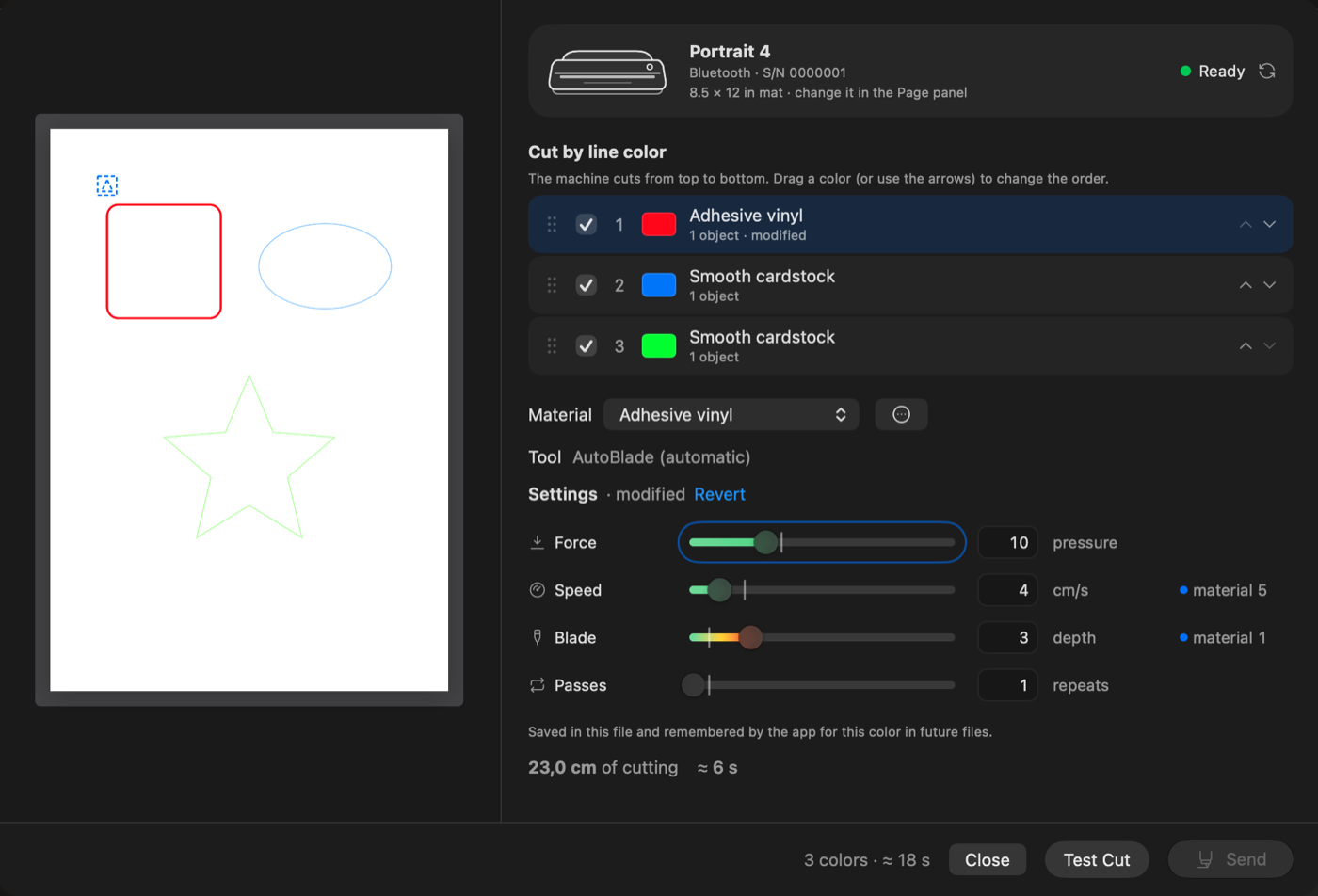
Material, force, speed, blade and passes for each color, with the cutting time before you send.
Material, força, velocidade, lâmina e passadas para cada cor, com o tempo de corte antes de enviar.
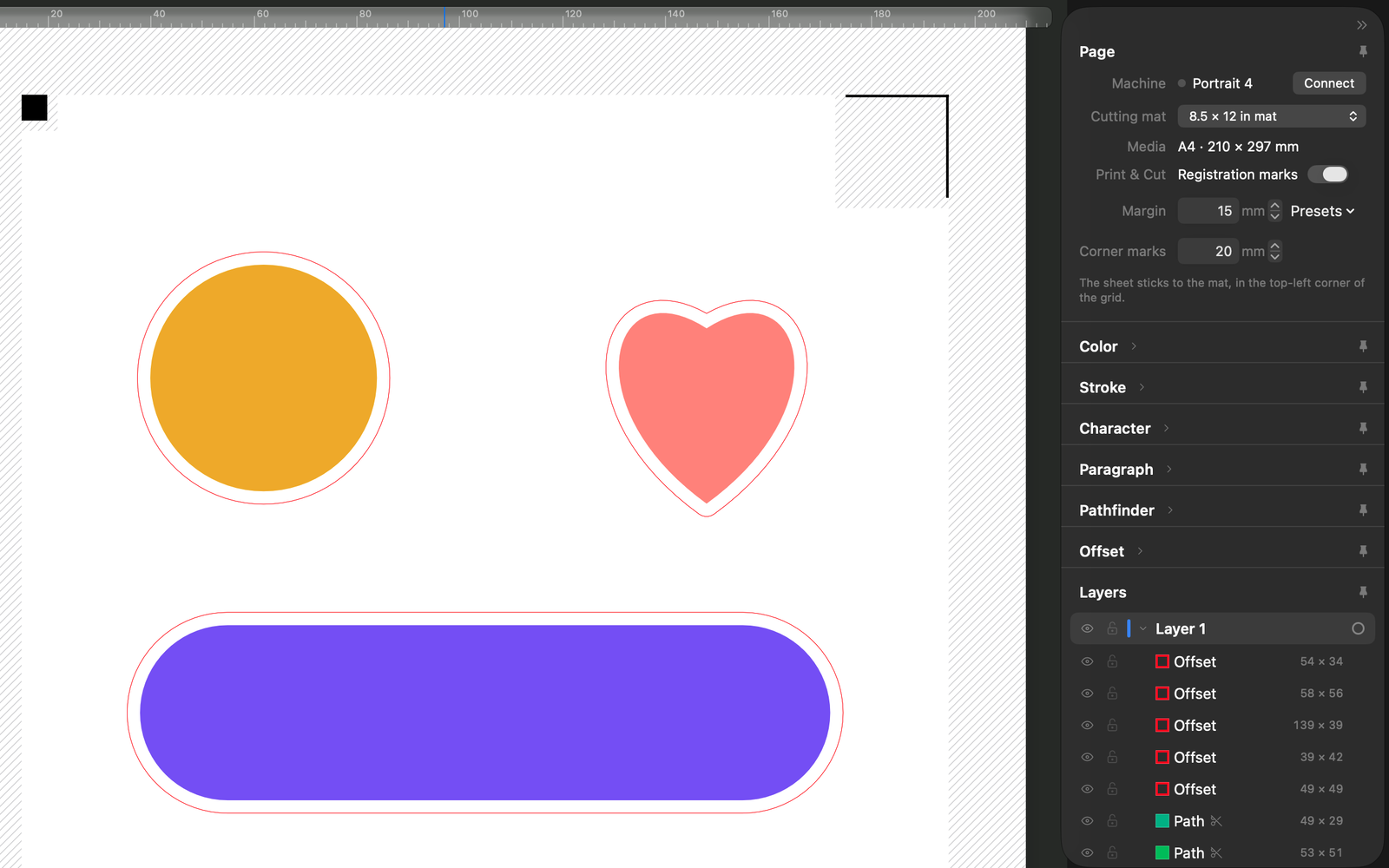
Print the sheet with the marks, and the machine reads them to cut around the art.
Imprima a folha com as marcas, e a máquina lê cada uma para cortar em volta da arte.
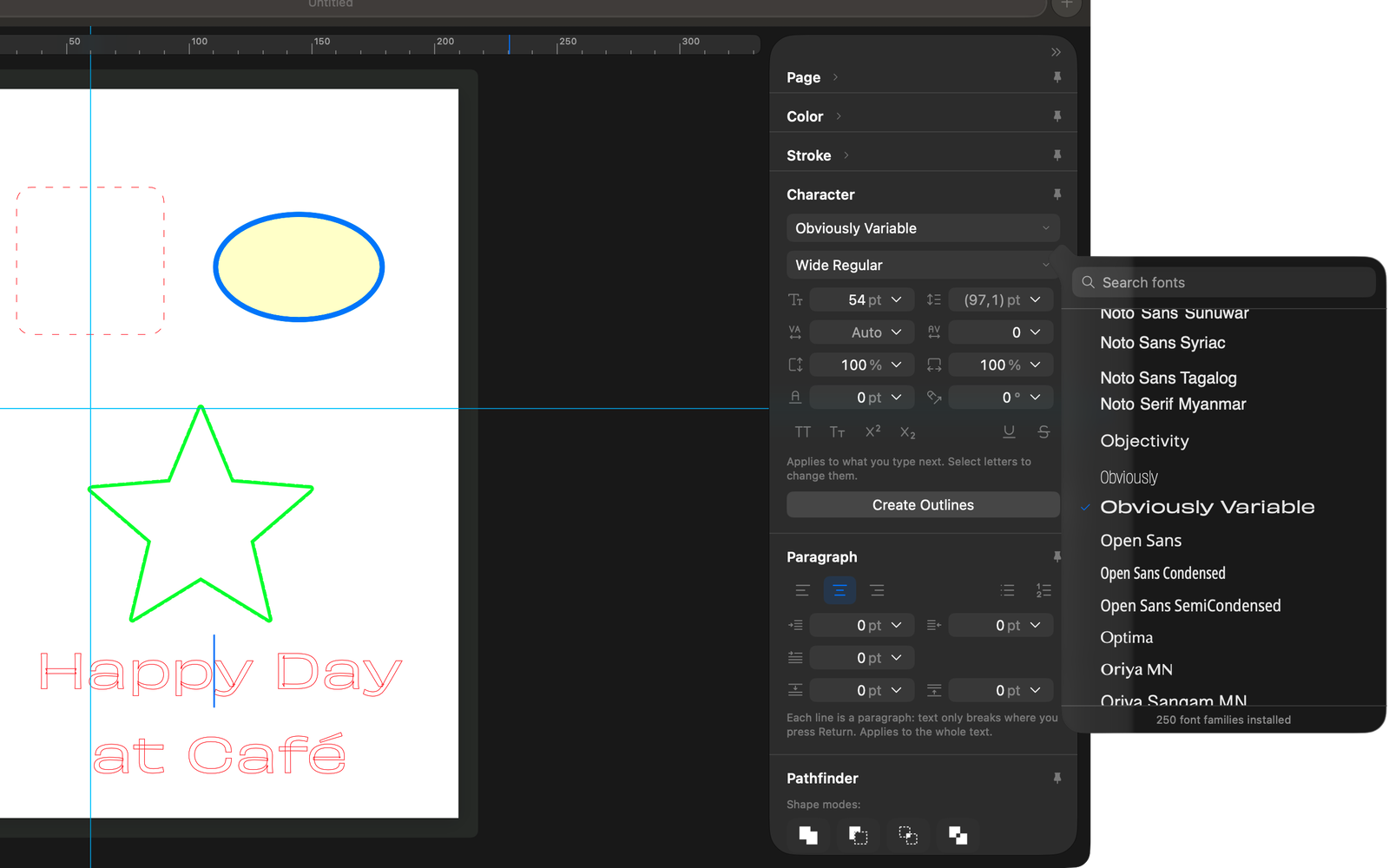
Type right on the canvas, Adobe Fonts included.
Escreva direto na tela, inclusive com as Adobe Fonts.
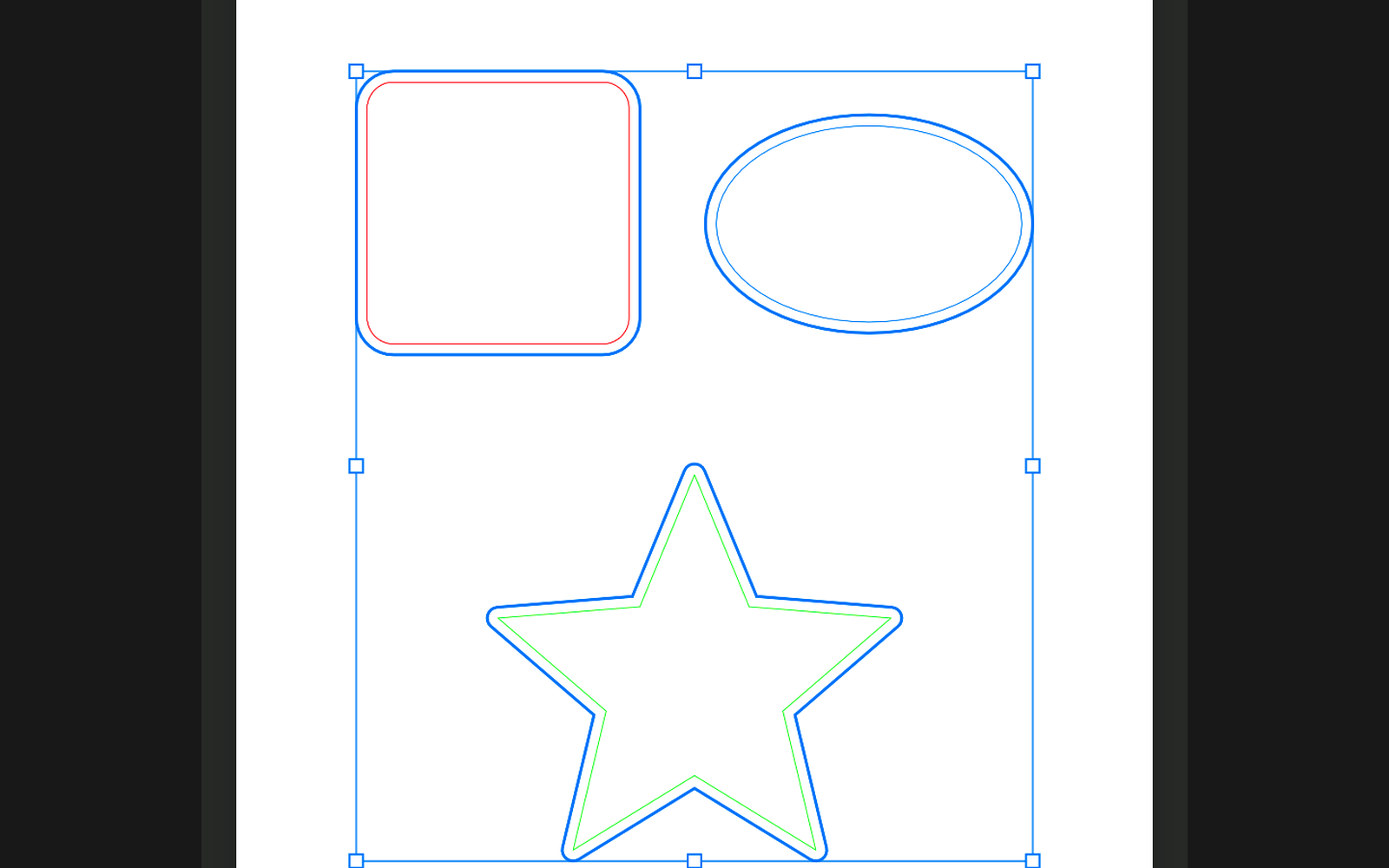
A cut line around any shape, at the distance you choose.
Uma linha de corte em volta de qualquer forma, na distância que você escolher.
With the machine on the cable, Cutline uses USB and skips Bluetooth. If there's more than one machine nearby, you pick one and it remembers the last.
Com a máquina no cabo, o Cutline usa o USB e nem procura no Bluetooth. Se houver mais de uma máquina por perto, você escolhe e ele lembra a última.
Have one of these? You can help test it. In the app, Help › Report a Bug… fills in the technical details for you, and it can send them by email if you don't use GitHub.
Tem uma dessas? Dá para ajudar a testar. No app, Ajuda › Relatar um Problema… preenche os detalhes técnicos e pode enviar por e-mail se você não usa o GitHub.
There's no account and no subscription. The code is on GitHub under GPL-2.0, so anyone can read it or help.
Não tem conta nem assinatura. O código está no GitHub sob a GPL-2.0, e qualquer um pode ler ou ajudar.
New versions come often. Cutline checks the signature of each update and installs it for you.
Versão nova sai sempre. O Cutline confere a assinatura de cada atualização e instala para você.
The download link always points to the latest version.
O link para baixar sempre leva à versão mais recente.
Open the DMG and drag Cutline onto the Applications folder next to it.
Abra o DMG e arraste o Cutline para a pasta Aplicativos que aparece ao lado.
The first time, macOS says it can't verify the app. Cutline isn't notarized by Apple, because that needs a paid developer account. Go to System Settings › Privacy & Security and click Open Anyway.
Na primeira vez, o macOS avisa que não consegue verificar o app. O Cutline não é autenticado pela Apple, porque isso exige uma conta paga de desenvolvedor. Vá em Ajustes do Sistema › Privacidade e Segurança e clique em Abrir Mesmo Assim.
From then on Cutline updates itself.
Daí em diante o Cutline se atualiza sozinho.
This shows up in System Settings right after the first try to open Cutline.
Isso aparece nos Ajustes do Sistema logo depois da primeira tentativa de abrir o Cutline.
Yes. There's no account and no subscription. The code is on GitHub under GPL-2.0.
Sim. Não tem conta nem assinatura. O código está no GitHub, sob a GPL-2.0.
No, on purpose. It covers the cutting work of the free Studio, plus a few things Studio charges for, like opening PDF, SVG and AI files or using layers. The design store is not part of it.
Não, de propósito. Ele cobre o corte do Studio gratuito, mais algumas coisas que o Studio cobra, como abrir PDF, SVG e AI ou usar camadas. A loja de designs fica de fora.
You need a Mac with Apple Silicon (M1 or newer) and macOS 26 Tahoe or newer.
Precisa de um Mac com Apple Silicon (M1 ou mais novo) e do macOS 26 Tahoe ou mais novo.
No. Cutline checks for updates on GitHub, and GitHub counts those checks per version. That count is all I see.
Não. O Cutline procura atualizações no GitHub, e o GitHub conta essas consultas por versão. Essa contagem é tudo o que eu vejo.
English and Portuguese. Cutline follows your Mac's language, and other languages open in English.
Português e inglês. O Cutline segue o idioma do Mac, e nos outros idiomas abre em inglês.
Use Help › Report a Bug… in the app. It opens a GitHub issue already filled in, or an email to [email protected].
Use Ajuda › Relatar um Problema… no app. Ele abre uma issue no GitHub já preenchida, ou um e-mail para [email protected].
 Cutline 1.2.0
Free, with automatic updates.
Gratuito, com atualizações automáticas.